
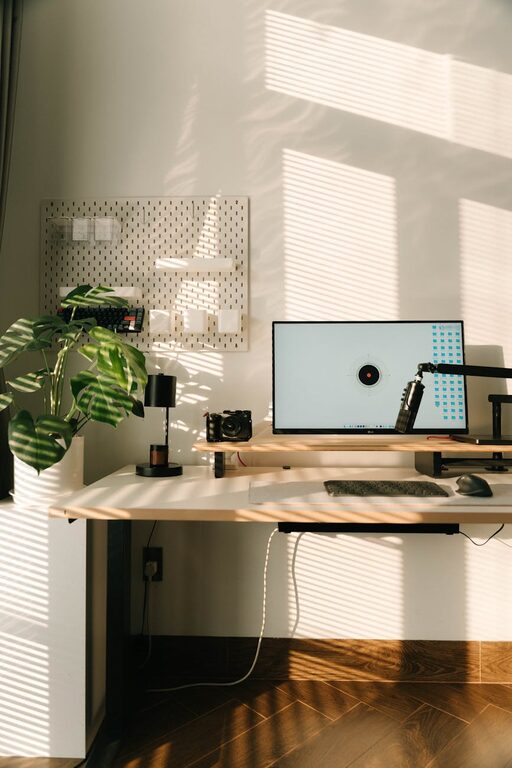
Creating a cozy and functional home workspace is essential for anyone working remotely or managing tasks from home. A well-designed space can boost your productivity, improve focus, and even enhance your overall well-being. Whether you have a dedicated room or just a small corner, making thoughtful choices can turn your workspace into a place you enjoy being in. Here are some practical tips to help you create a home office that feels inviting and works well for your needs.
Choose the Right Location
Your workspace’s location can greatly influence your comfort and productivity. When selecting a spot, consider these factors:
– Natural light: Position your desk near a window to benefit from natural daylight, which helps reduce eye strain and lifts your mood.
– Quiet area: Select a space away from noisy parts of your home, such as the kitchen or living room, to minimize distractions.
– Space availability: Ensure there’s enough room for your desk, chair, and any additional storage or equipment you need.
Remember, even a small nook can become a productive corner with the right setup.
Invest in Comfortable Furniture
Comfort is key when working long hours. Here’s what to keep in mind:
– Ergonomic chair: Choose a chair with adjustable height and good back support to maintain proper posture.
– Desk size: Pick a desk large enough to hold your computer, notebook, and any other essential tools without feeling cramped.
– Adjustable elements: Furniture that can be adapted to your needs—like sit-stand desks—helps vary your position throughout the day and may reduce fatigue.
Comfortable furniture can prevent aches and keep you focused.
Organize and Declutter
A tidy workspace reduces stress and saves time. To keep your space organized:
– Use storage wisely: Incorporate shelves, drawers, and containers to keep supplies and documents neatly arranged.
– Limit items on the desk: Only keep daily essentials within reach to avoid clutter.
– Cable management: Use clips or sleeves to keep cords tidy and out of sight.
– Regular cleaning: Make it a habit to clear and wipe down your workspace at the end of the day.
A clean area promotes a clear mind.
Personalize Your Space
Adding personal touches makes the workspace feel welcoming and can motivate you:
– Decorate subtly: Use plants, artwork, or photos that inspire you without overwhelming the space.
– Color choices: Soft, calming colors like blues or greens create a peaceful atmosphere, while pops of bright colors can energize.
– Lighting: Include a desk lamp with adjustable brightness to complement ambient light and reduce eye strain.
Personalization helps create a positive association with your work area.
Optimize Your Technology Setup
Technology is central to most home workspaces. To improve your tech setup:
– Reliable internet connection: Make sure your wifi is fast and stable to avoid interruptions.
– Proper monitor placement: Position your screen at eye level about an arm’s length away to reduce neck strain.
– Use peripherals: Consider an external keyboard and mouse for better comfort apart from a laptop keyboard.
– Backup plan: Have a charger and external storage handy in case of technical issues.
A thoughtful tech setup enhances efficiency and comfort.
Create Boundaries
Separating work from home life supports mental well-being:
– Set work hours: Establish consistent start and end times to maintain routine.
– Use physical cues: Closing a door or using a room divider can signal the transition to work mode.
– Communicate with household members: Let others know your schedule to minimize interruptions.
Clear boundaries help balance productivity and relaxation.
Incorporate Break Areas
Including space for short breaks can refresh your mind:
– Comfortable chair or cushion: Use a separate seat for stretching or reading.
– Add greenery: Plants not only beautify but also improve air quality and reduce stress.
– Keep water nearby: Staying hydrated supports focus and health.
Regular breaks in a cozy spot prevent burnout.
Maintain Good Air Quality and Temperature
Physical comfort conditions impact how well you work:
– Ventilation: Ensure fresh air circulation, perhaps with an open window or fan.
– Temperature control: Use a heater or fan to keep the room at a comfortable temperature.
– Air-purifying plants: Some plants cleanse indoor air naturally.
Comfortable air quality keeps you alert and comfortable.
Final Thoughts
Designing a home workspace that is both cozy and functional doesn’t require extensive resources or a large area. By focusing on location, furniture, organization, personalization, technology, and boundaries, you can create a space that supports your productivity and well-being. Small changes can make a big difference in how you feel about your workday.
Start with one or two of these tips, and adjust as you learn what works best for you. With time, your ideal home workspace will develop into a place that inspires and supports your daily tasks.